Trace the follow-up to its source.
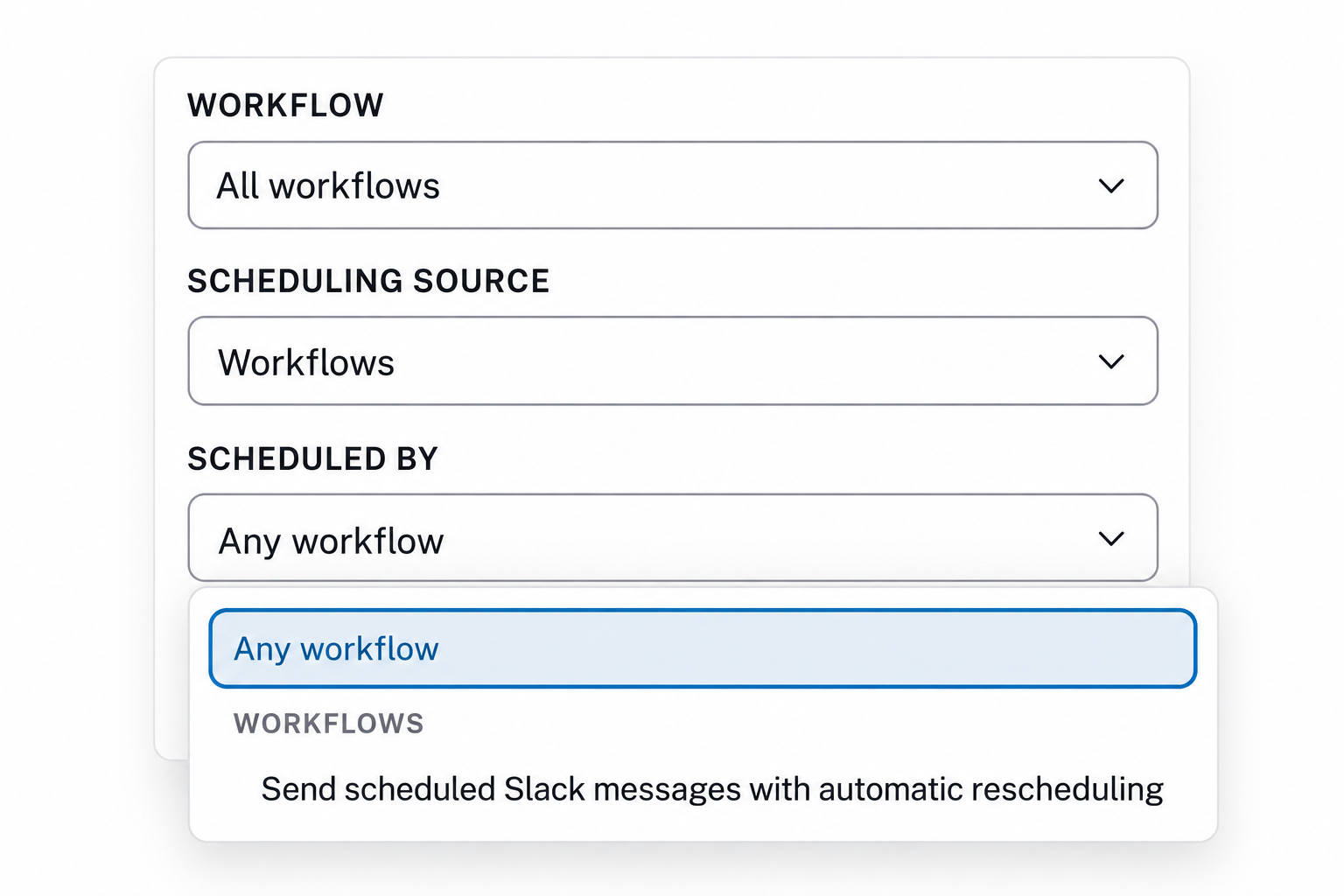
Find a record’s pending run, then filter by the workflow that scheduled it or the teammate who queued it. Review a whole batch together when you need to check a campaign or customer check-in.
Automations
Route leads with shared rules, bring the right teammate into a deal, and follow up when the timing is right. Add the steps your team needs to the Attio workflows you already use.

Lookup tables
Use a value your workflow already has, such as a teammate’s email, company domain, or country, to find the matching row in a shared table.
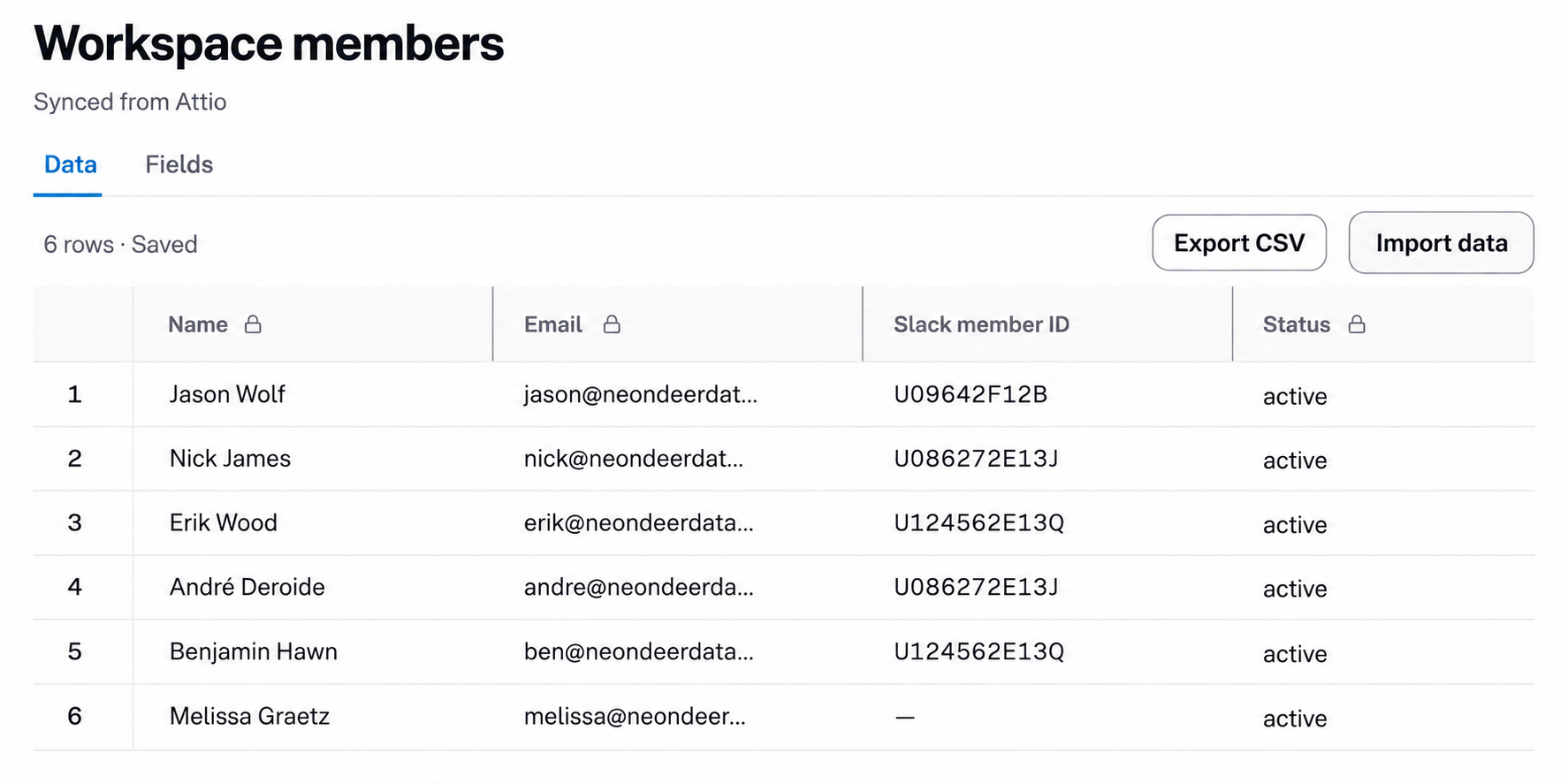
Add a Slack member ID for each teammate in the synced Workspace members table. Look up the current deal owner by email or Attio workspace member ID, then pass the returned Slack mention to Attio’s Slack step.
Names, emails, and member status stay synced from Attio. Maintain the Slack mapping once, instead of hardcoding IDs or adding a branch for every rep.
Reuse the same lookup tables across your Attio workflows. Edit a territory mapping once, and future lookups use the updated values without rebuilding your routing branches.
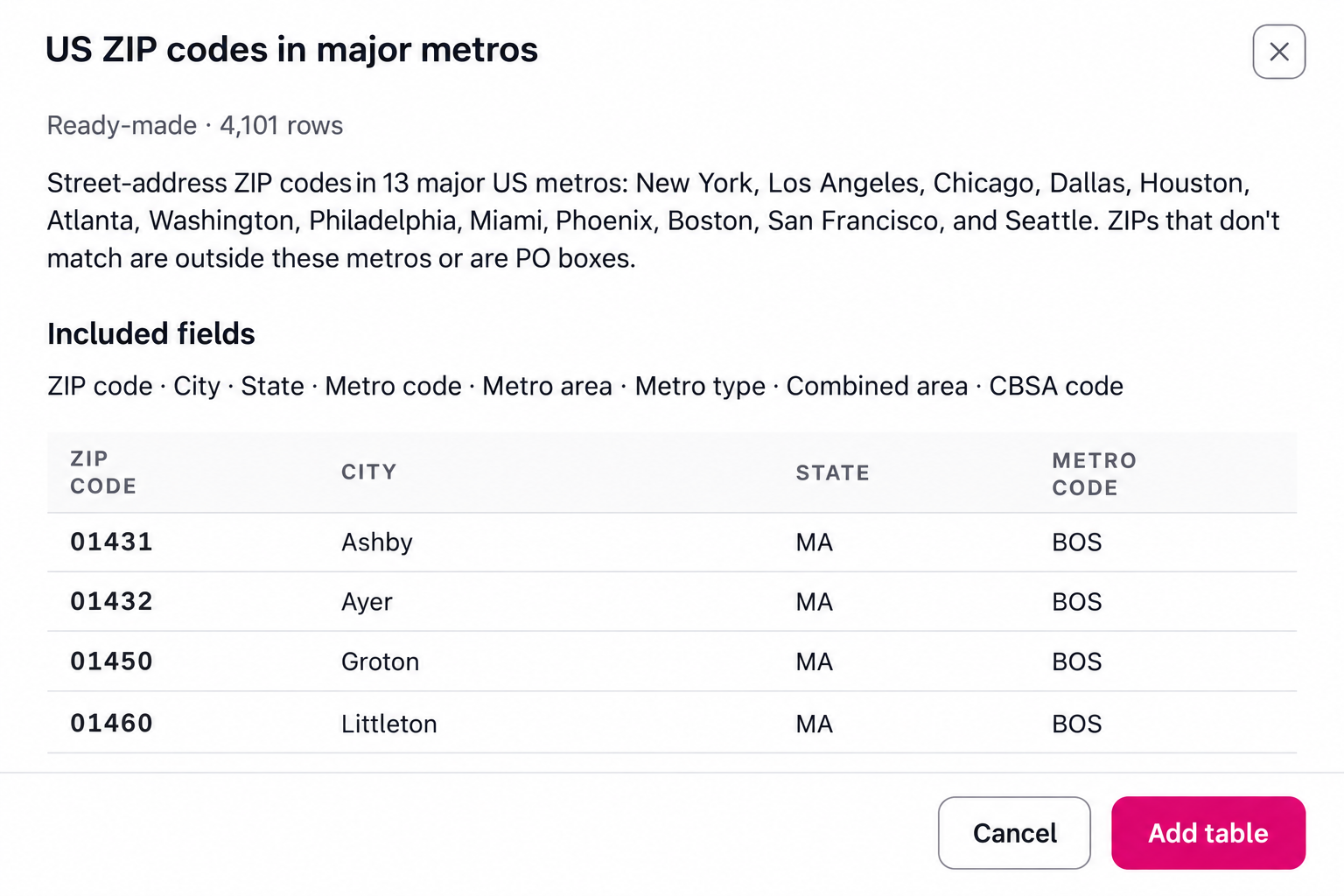
Route at the level that fits your team. Map owners by country, state, or a supported ZIP code’s metro area. Use Attio’s update step to assign the matched owner.
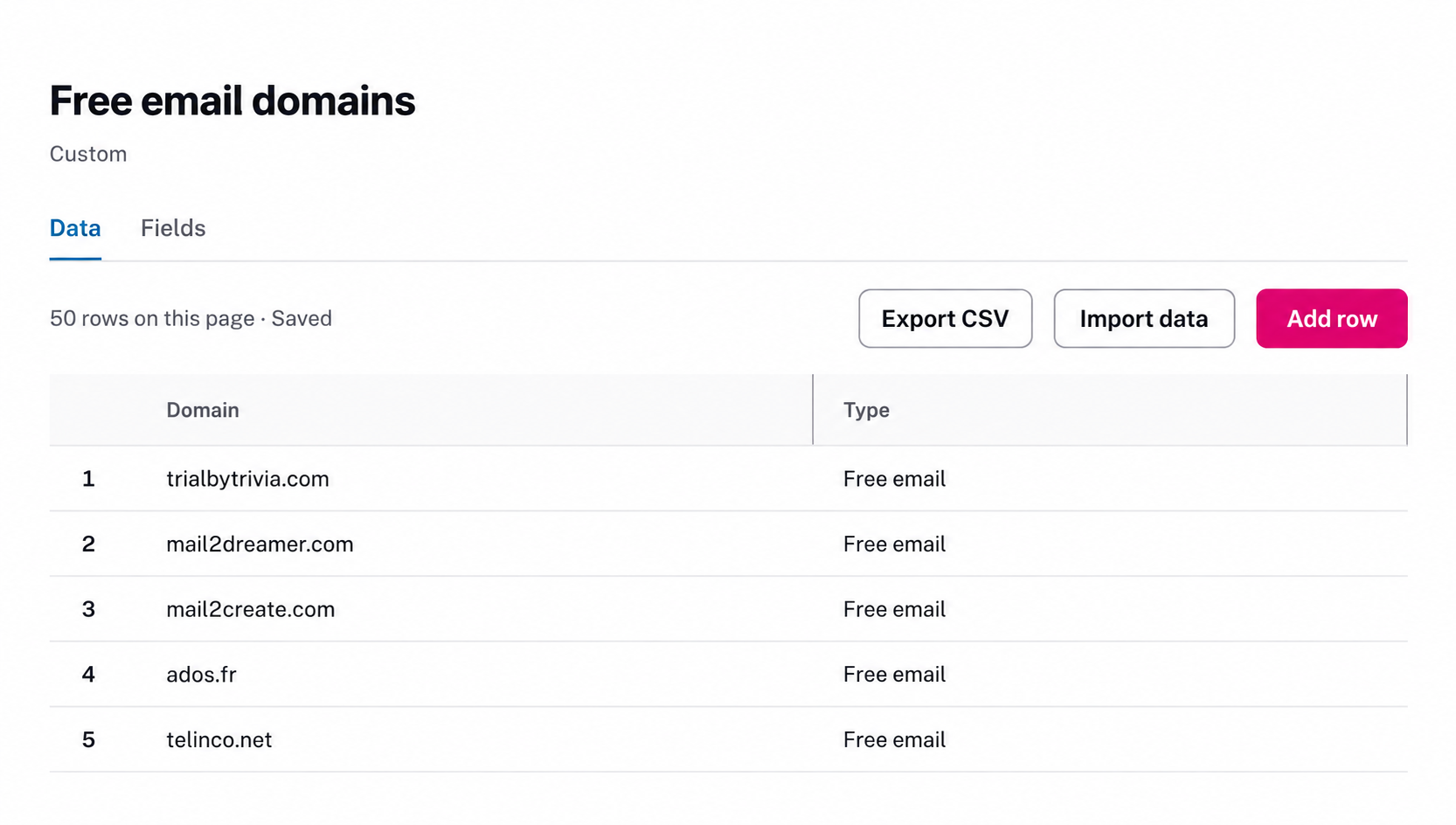
Score with context. Look up an email domain to identify a free email provider, then use separate lookups for the lead’s known ZIP code and industry. Your workflow can use those results to set a score or review priority, rather than disqualifying a lead on their email address alone.
Scheduled workflows
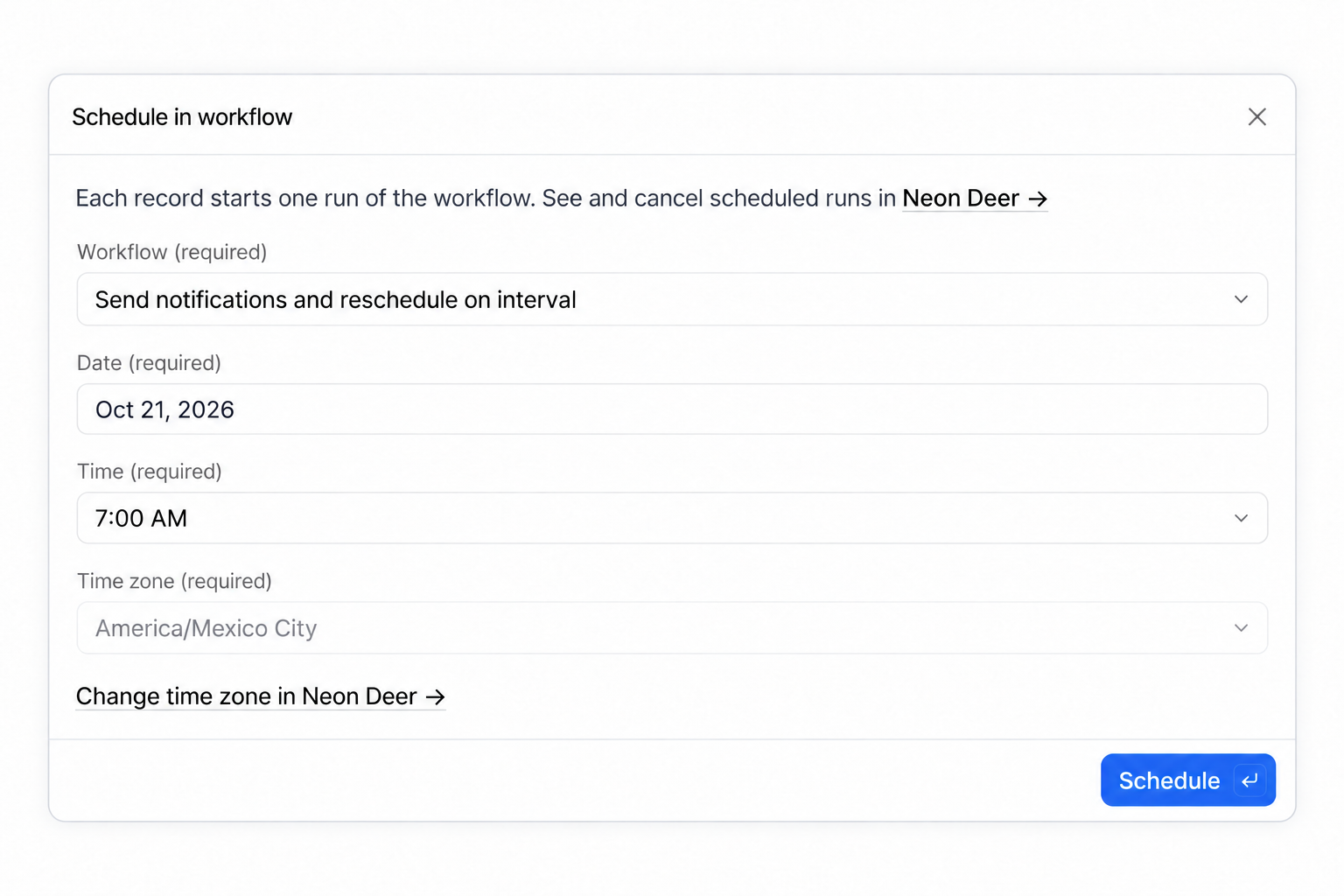
A qualified prospect likes the product, but their budget opens in six months. Schedule the record to enter your follow-up workflow on that date. When it runs, check the current deal stage before creating an Attio task, firing a Slack notification, or sending out an internal email alert.
Queue one record from a workflow step, or select records in Attio and use Schedule in workflow. Pending follow-ups stay visible in Neon Deer, where you can review and cancel them.
Scheduled runs
Renewal dates move, prospects return early. Your Attio workflows shouldn't quietly run without oversight for days or months at a time on a "delay". See the record, the run date, and who or what scheduled the follow-up before it happens.
Find a record’s pending run, then filter by the workflow that scheduled it or the teammate who queued it. Review a whole batch together when you need to check a campaign or customer check-in.
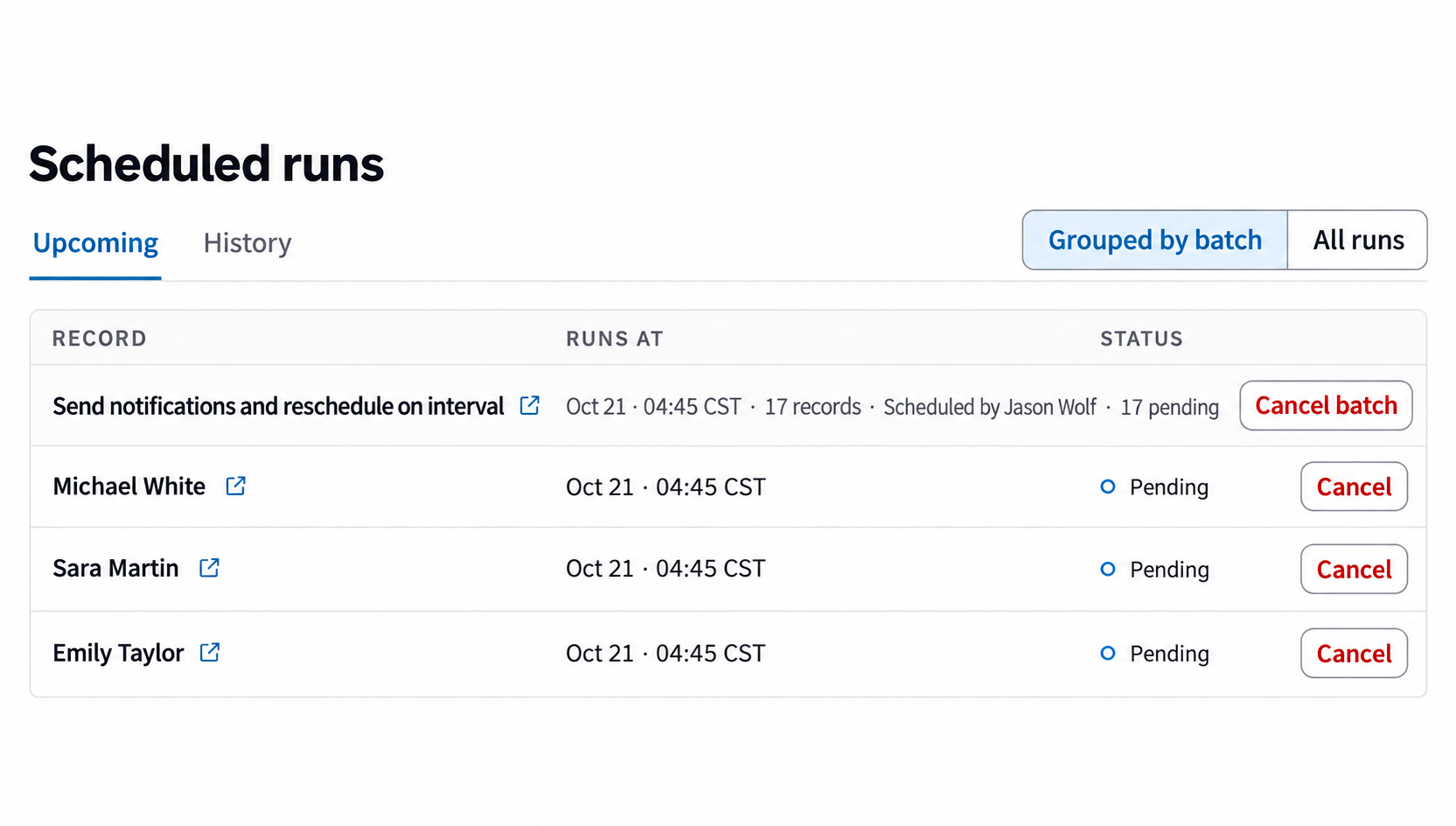
Cancel the old pending run and schedule the new date. If a prospect returns sooner, remove the follow-up before it starts. A record change does not automatically cancel a schedule.
When a Neon Deer Automations step fails, investigate it in Activity instead of guessing why the next action never happened.
Filter failures by workflow, step, or date to find the affected automation.
Review the failure and follow its link to the Attio run when available, or to the workflow.
Acknowledge a failure after checking it. The history remains, and new failures need attention again.
A moved deadline or a new buying-committee member can matter more than another generic record update. Use the changes and context already in Attio to choose the next action.
Task deadline changed gives your workflow the old and new dates, the task, and its linked records. Use those details to update a handoff or alert the account owner when your conditions apply.
Compare records identifies the contacts just added to a linked-record list. Pass those new contacts into the next step instead of processing the whole buying committee again.
Use the Rep coverage starter to map a rep to a backup owner. Your workflow decides when coverage applies; the table supplies the teammate for the next step.
A new customer and an expanding account can need the same onboarding handoff. Put that shared process in a subflow, then call it from both workflows instead of maintaining two copies.
Look up the customer’s segment to choose an onboarding track and owner, create the relevant Attio tasks, and use Email Notifications to brief that teammate. Keep the handoff consistent while each parent workflow handles its own next action.
Note, task, comment, and call triggers, workflow utilities, and subflows are free. You can also create and keep lookup tables on Free. Using those tables inside workflows and scheduling future runs require Paid or the trial. When the trial ends, keep using the free features or choose Paid to continue using the paid capabilities. Compare plans.
In Attio's workflow editor. Create a Neon Deer account, install the Advanced Workflow Automations app from the Attio Marketplace, and add its Neon Deer connection in Attio. The new triggers and steps appear alongside Attio's own blocks. Manage your lookup tables and pending scheduled runs in Neon Deer. Follow the setup guide.
Neon Deer adds shared lookup tables for values such as territory owners and Slack IDs, plus one-time future runs for selected records. Attio already has recurring schedule triggers for workflows that repeat regularly. Use Neon Deer when a particular record needs a follow-up on its own date, with a pending run you can review and cancel.
Start with our table library or import your own CSV, then add your team’s owners and routing rules. Library copies are editable; you maintain them after copying. The Workspace members table works differently: names, emails, and member status stay synced from Attio. You add and maintain the Slack IDs. Explore the table library.
The step reports that no matching row was found. Your Attio workflow decides what happens next: add a branch to create a review task or notify a designated teammate. Set up that fallback alongside the matched path so an unfamiliar country or missing owner mapping gets reviewed instead of assigned by guesswork.
Yes. Cancel the pending run in Attio or Neon Deer before it starts being sent. To change the date, cancel the old run and schedule a new one. Updating the record does not automatically change or cancel its schedule. See cancellation options.
Neon Deer flags failures in its Automations steps. Check Activity → Needs attention for failures nobody has acknowledged, then open the failure details to investigate. This covers Neon Deer’s steps; check Attio’s run history for the rest of the workflow. Acknowledging a failure does not fix or rerun it.
It depends on what your workflow connects. Shared lookups, subflows, and scheduled follow-ups can stay inside Attio with Neon Deer. You may still use Zapier or Make to connect other apps or handle actions outside Attio. You can use them alongside Neon Deer.
Built exclusively for Attio, from the workflow problems we solve with our services clients. Automations, Duplicate Detection, and Email Notifications share one Neon Deer platform plan.