The company with several domains
An account uses a main domain and departmental subdomains. Compare the registered domain, then review the company details before merging.
Duplicate Detection
Find duplicate People and Companies in Attio, compare the evidence, and use AI scores to focus your review. Approve merges in batches, with an optional backup of the originals.
Matching rules
The same account or contact can arrive in different forms. Choose matching rules that fit the evidence in your Attio workspace.
An account uses a main domain and departmental subdomains. Compare the registered domain, then review the company details before merging.
A person appears under similar names on records linked to the same company. Combine those signals rather than treating every shared company as a match.
An old website redirects to the current company domain. Include redirect checks in your domain matching, then review the evidence. Explore domain rules.
How it works
Run a full scan of People or Companies to group potential duplicates using your matching rules. Start with the backlog from an import or migration, then review new matches as your Attio workspace grows.
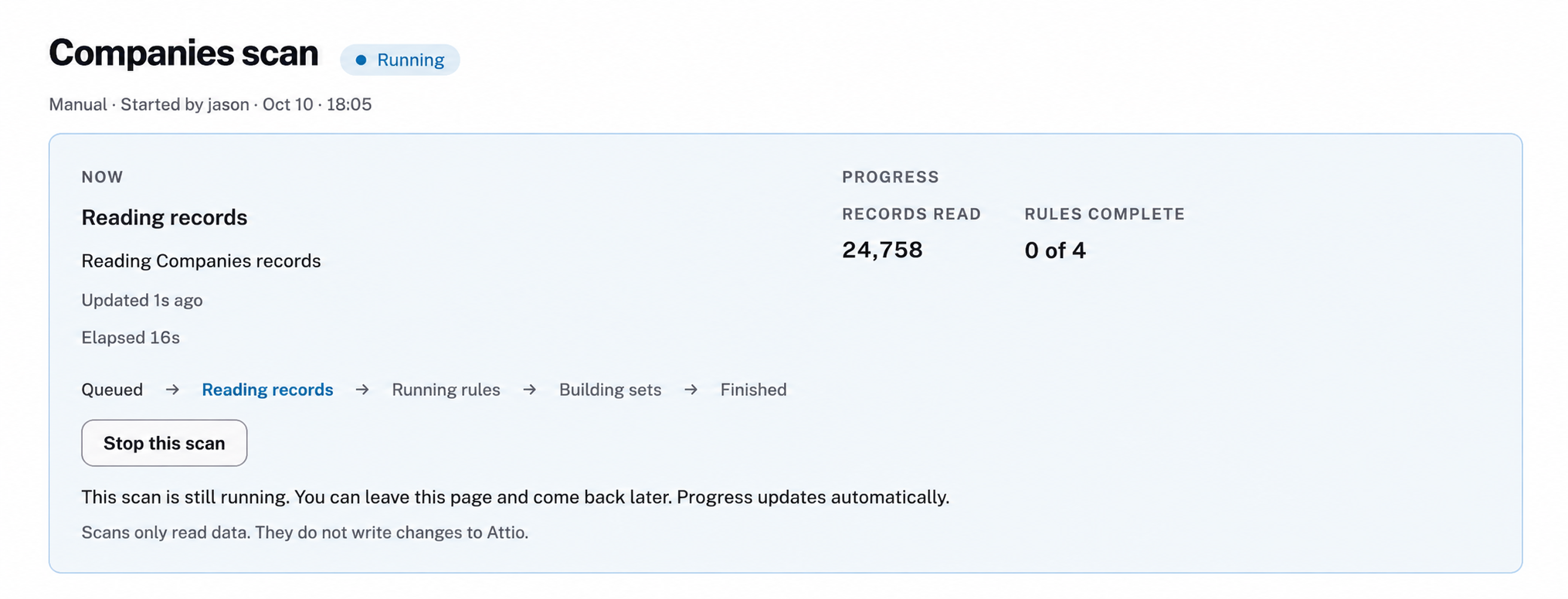
Scans only read data. Watch the progress, leave and return, or stop a scan. New and updated records can also be checked between full scans.
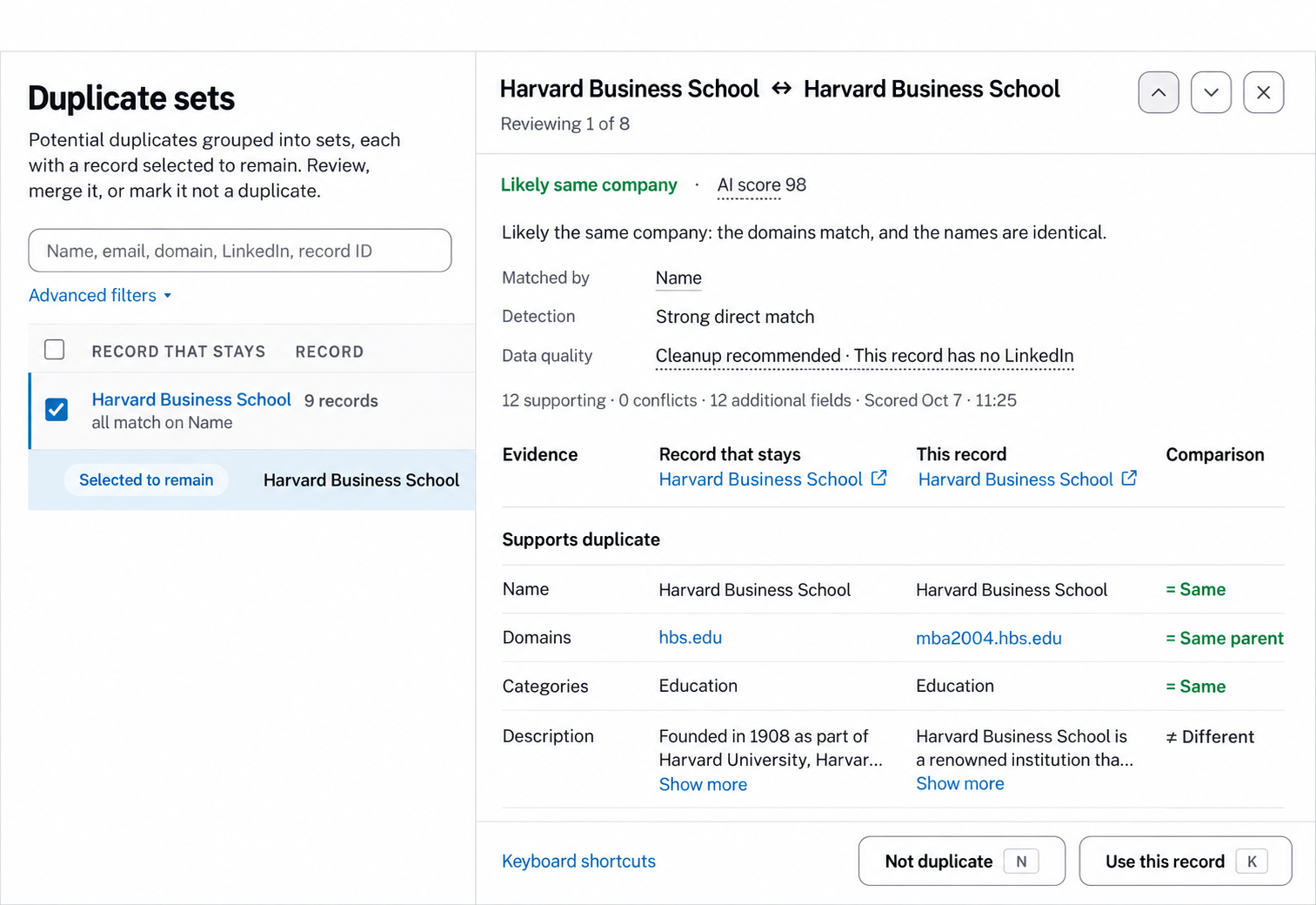
Compare each candidate with the record selected to stay. See matching fields, conflicts, and data-quality findings, such as a missing LinkedIn URL. AI scores add a plain-language assessment of the available evidence; a shared name alone does not prove two companies are the same.
Use score filters and keyboard shortcuts to work through the review. Choose which record’s values should take priority.
Review a false match once. Mark two records as Not a duplicate to keep that pair out of later scans and automatic detection. Your team can remove the exclusion.
Choose the record whose values should take priority, inspect conflicts, and approve the sets you trust. Follow the results in Activity.
Protect external IDs, such as Salesforce, HubSpot, or Stripe IDs. A merge is blocked if it would discard a differing protected value. Records are checked again before merging, so changes since review can hold a merge back.
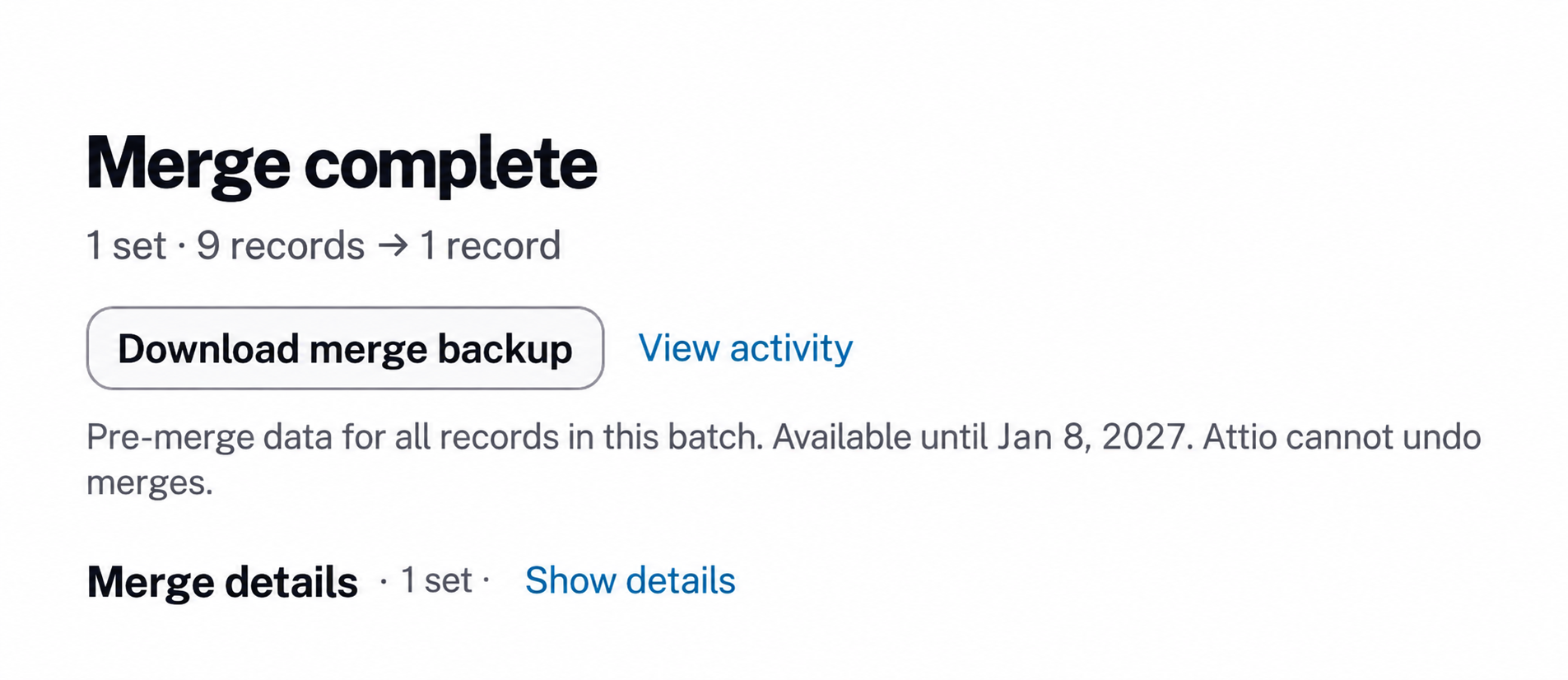
Backups are on by default and disclosed before approval. Download the pre-merge backup from the result or Activity. Turn backups off or skip a backup if your privacy or security policies require it. The confirmation lists related-data categories outside your connection’s granted permissions.
A backup can support manual reconstruction; it does not undo a merge.
An import can leave hundreds of records to check. Review one manageable batch at a time: use AI scores to prioritize likely matches, check the evidence, and approve the groups you trust. A high score helps order your work; it does not approve a merge.
Score selected sets or all results matching your filters, including those beyond the current page. Narrow the list by minimum score to focus your next review.
Review the candidates in each set and inspect conflicts. Exclude false matches, then select the filtered results and approve the groups you trust. Exceptions remain for review.
Run another scan after cleanup, refresh AI scores, and review any new evidence. Adjust your score filter and work through the next batch.
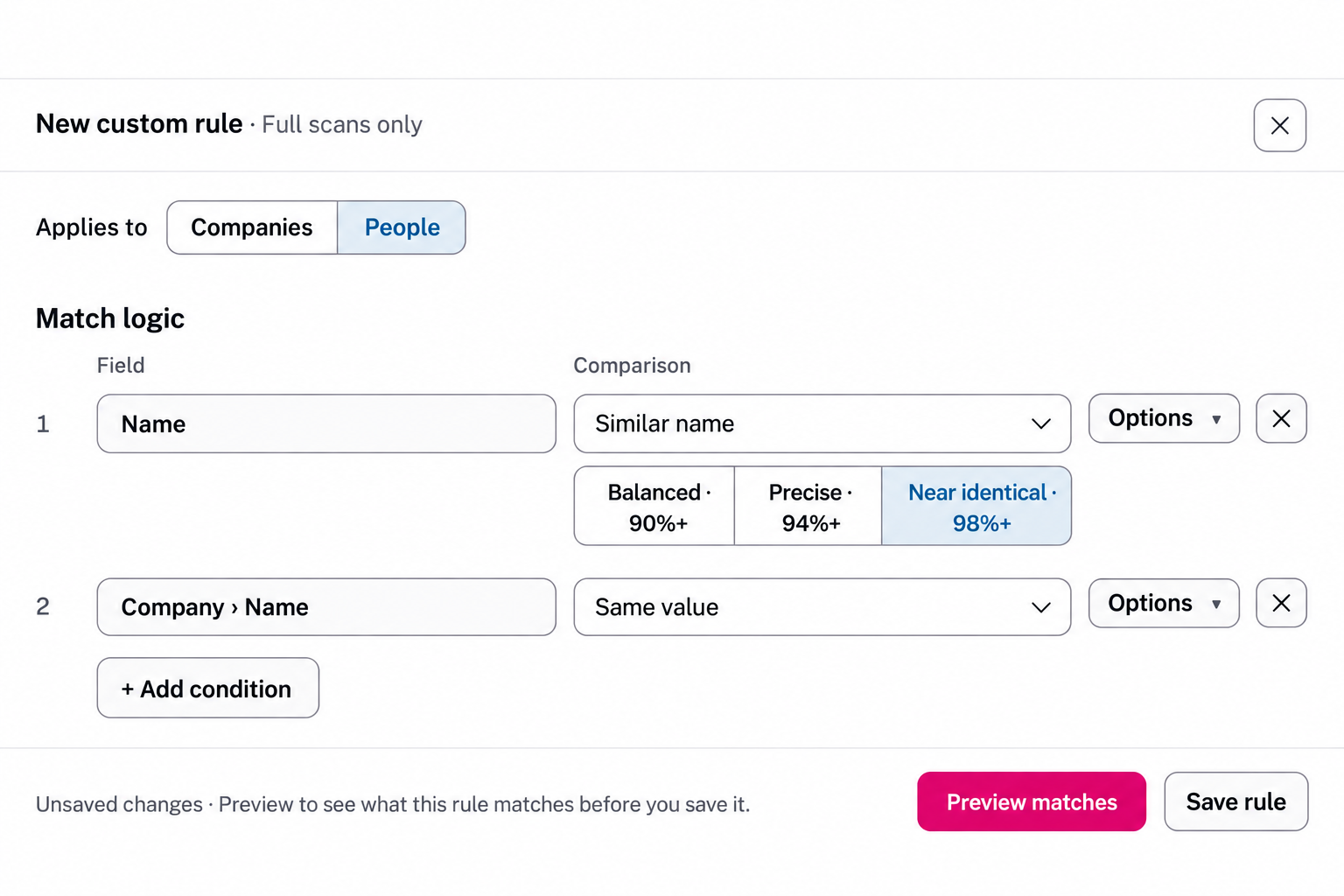
Combine fields and comparisons, adjust name similarity, and preview matches before saving a rule. Find people with similar names at companies with the same name, even when those companies are separate records in Attio. Custom rules run during full scans.
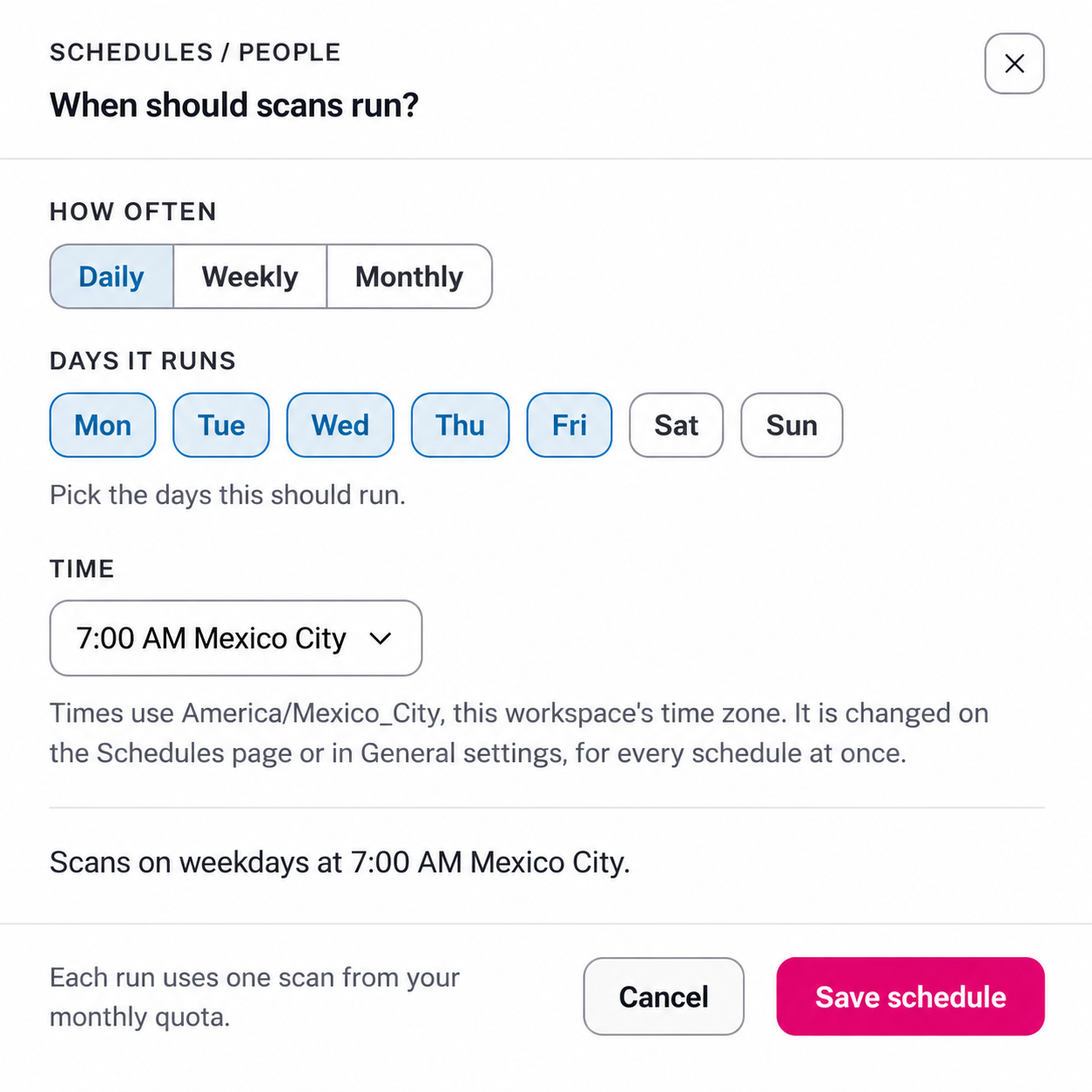
Schedule People and Companies scans daily, weekly, or monthly. Choose the days and time in your organization’s time zone. Your team’s Not a duplicate decisions still apply.
Scheduled scans are included on Free, paid plans, and during the trial. Each run uses a full scan from the applicable plan or trial allowance.
Once records are merged, you cannot simply separate them again. An optional pre-merge backup gives your team the original field values and references needed to investigate a result or support manual reconstruction.
It is not an undo button or a full copy of every related item. Check the merge preview and backup coverage before approving a batch.
Save each record’s attribute values, including its relationships to other records, before those originals are merged.
Keep the IDs of related notes, comment threads, tasks, list entries, files, meetings, and recordings, so you can identify what belonged to each original. Their contents are not copied.
Capture other records and list entries that reference the originals, including a custom list attribute pointing to the company you are merging.
Attio already lets you merge People and Companies. Neon Deer adds an Attio workspace scan, configurable matching rules, grouped review, AI-assisted prioritization, saved false-match exclusions, and bulk merge approvals. It uses Attio’s merge operation when you approve a merge. If you only have one known pair to combine, Attio’s native merge may be enough.
Duplicate Detection scans and merges People and Companies, not Deals, custom-object records, or duplicate list entries. Matching rules can use related custom-object data as evidence when comparing People or Companies.
Yes, when another matching rule connects the records. For example, combine a similar person name with the name of their linked company, or compare company domains after subdomain normalization. Similar-name matching is available for names; other field comparisons use normalized exact values. A shared company or email domain alone does not prove two people are the same. Choose matching rules.
Choose the record whose values should take priority and inspect the merge preview for conflicts. Attio combines the originals into a new record with a new ID and URL. The selected record determines value priority; it does not keep its original ID. Review the result before relying on saved record IDs in another tool. Read the merging guide.
No. It finds potential duplicates already in Attio, including checks on new or updated records. It does not block an import or form submission. Schedule scans to catch new duplicates, and approve the merges you want to make. Set a scan schedule.
Yes. Score selected duplicate sets or all sets matching your filters, including results beyond the current page. Filter by a minimum AI score, such as 80 or 90. A set appears when at least one candidate meets that score; review the other candidates and conflicts before approving the group. Approve the matches you trust in batches. Rescan and refresh scores to review further matches. Scores are estimates, not calibrated probabilities or automatic merge approvals, and scoring uses your plan’s AI allowance.
Yes. Scheduled duplicate scans are included on Free and Paid. Each full scan of People or Companies uses one scan from the same allowance as a scan you start yourself. Check your plan’s monthly allowance before choosing a daily, weekly, or monthly schedule. See scan allowances, trial limits, and add-ons.
Finding duplicates does not merge your records. Review the results and approve the merges you want to make.
Those two records stop being flagged as duplicates of each other in later scans and automatic detection. Your team can remove the exclusion from the Not duplicates page. Either record can still match a different record. See how exclusions work.
It saves every original record’s field values and relationships, plus the IDs of related notes, comment threads, tasks, list entries, files, meetings, and recordings. It also captures references from other records and list-entry attributes pointing to those originals. Related-item contents are not copied. Before approval, the confirmation lists related-data categories outside your connection’s granted permissions. See backup coverage.
Yes. Backups are on by default and disclosed before approval, but your team can turn them off or skip a running backup if your data policies require it. Turning backups off deletes saved backups for the organization. Completed merges cannot be undone, with or without a backup. See backup controls.
No. Matching rules and record comparisons work without AI scoring. Paid plans include an AI allowance if you want help prioritizing duplicate sets.
Connect your Attio workspace and run your first scan. Start free, or try paid capabilities for 14 days.