You approve the merges
Finding a potential duplicate doesn't change your CRM. You choose which groups to merge and which values take priority.
Duplicate Detection
Find duplicates across your Attio objects using matching rules that fit your data. Review the evidence, prioritize matches with AI, and approve merges individually or in batches, with safeguards for the records you care about.

Attio already lets you merge records when you know they're duplicates. The harder part is finding them, especially when your CRM has grown through imports, integrations, and years of manual data entry.
Neon Deer helps you find potential duplicates across your workspace and work through them systematically. Set your own matching rules, review the evidence, exclude false matches, and approve the merges you trust.
How it works
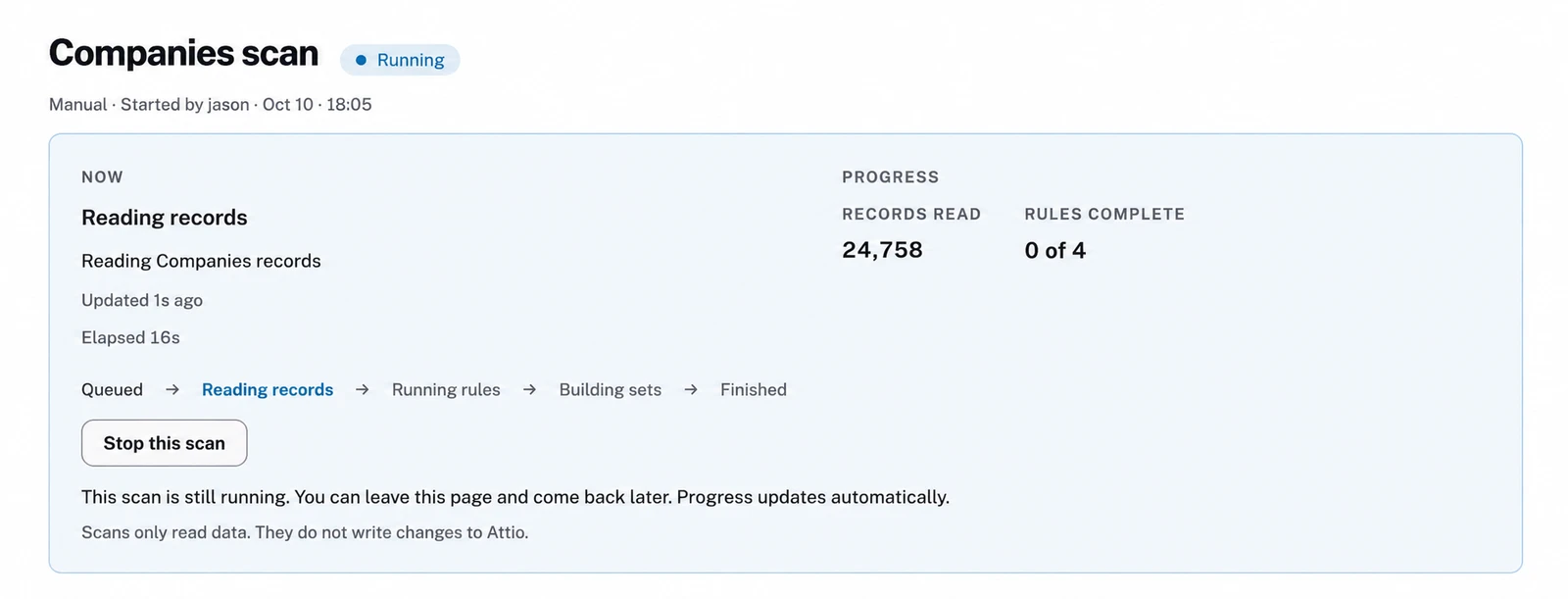
Scan People, Companies, Deals, or custom objects in your Attio workspace. People and Companies include built-in matching rules; configure a rule for other objects before scanning. Neon Deer groups potential duplicates for review, even when their names, domains, or other details aren't identical. Scan the whole object, or use filters to focus on a segment and exclude records that do not belong in the cleanup.
Scans are read-only. You can monitor progress, stop a running scan, and return to the results whenever you're ready.
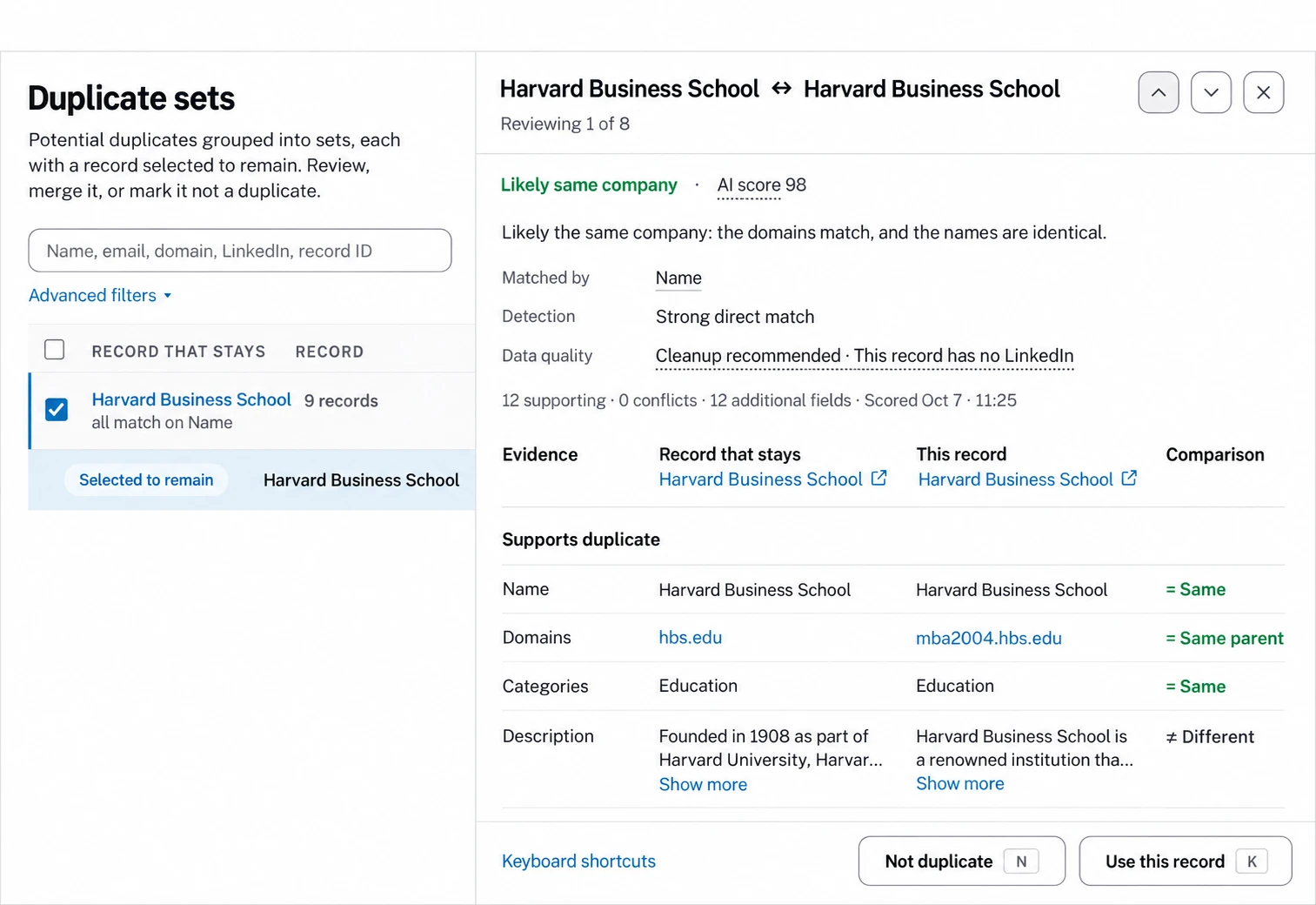
Not every match is a duplicate. Compare the records side by side, see where their values agree or conflict, and use AI assessments to help prioritize your review.
Set which record stays for each object, using priorities such as the oldest record, a LinkedIn profile, or a chosen attribute. Pin a different record for an individual set when needed. Inspect conflicts, and mark false matches as Not a duplicate so you don't have to keep reviewing the same pair.
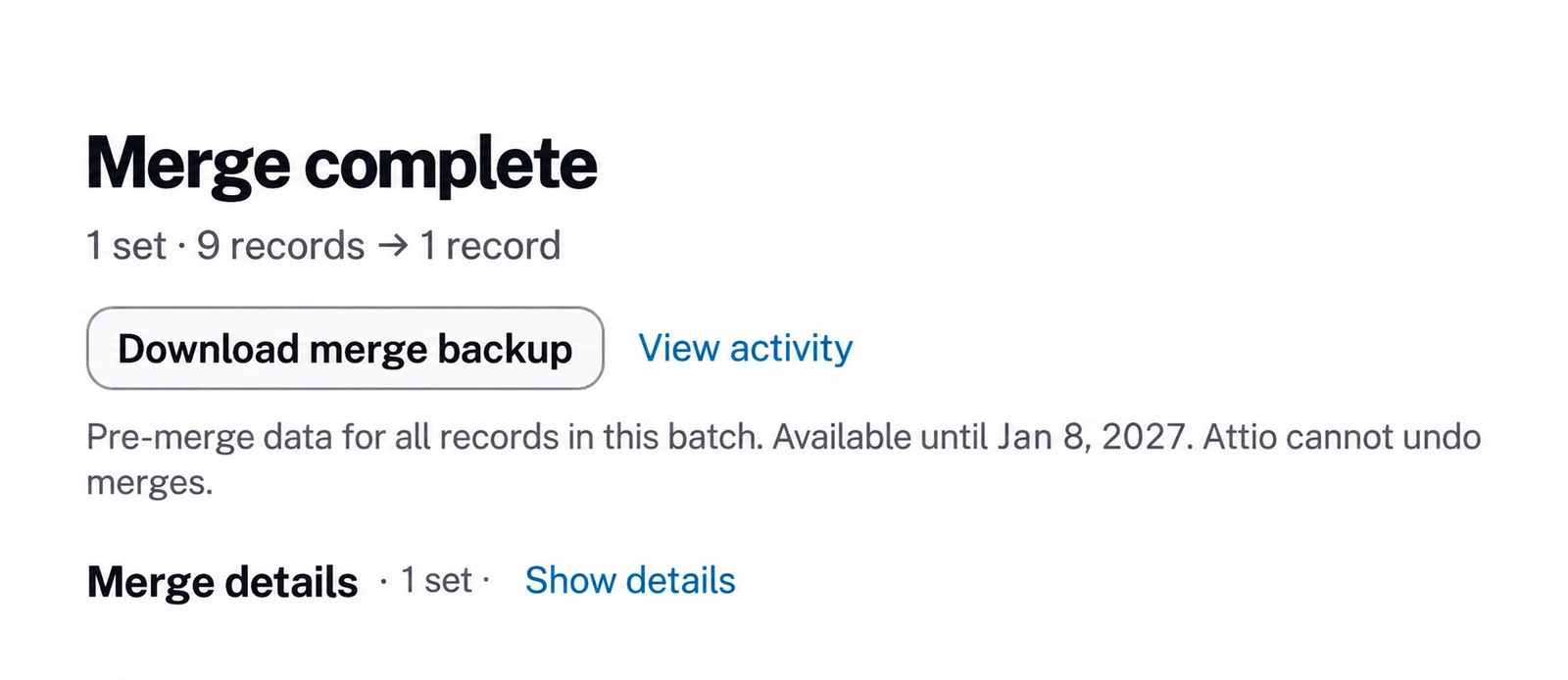
Approve individual duplicate sets or work through many at once. Use AI scores and filters to narrow a large backlog, review the groups you trust, and approve their merges in batches.
Before merging, Neon Deer checks for changes since your review and protects designated external IDs from being lost through conflicting values. When enabled, pre-merge backups preserve record data if you need to unmerge later.
Track completed merges and exceptions from History.
Matching rules
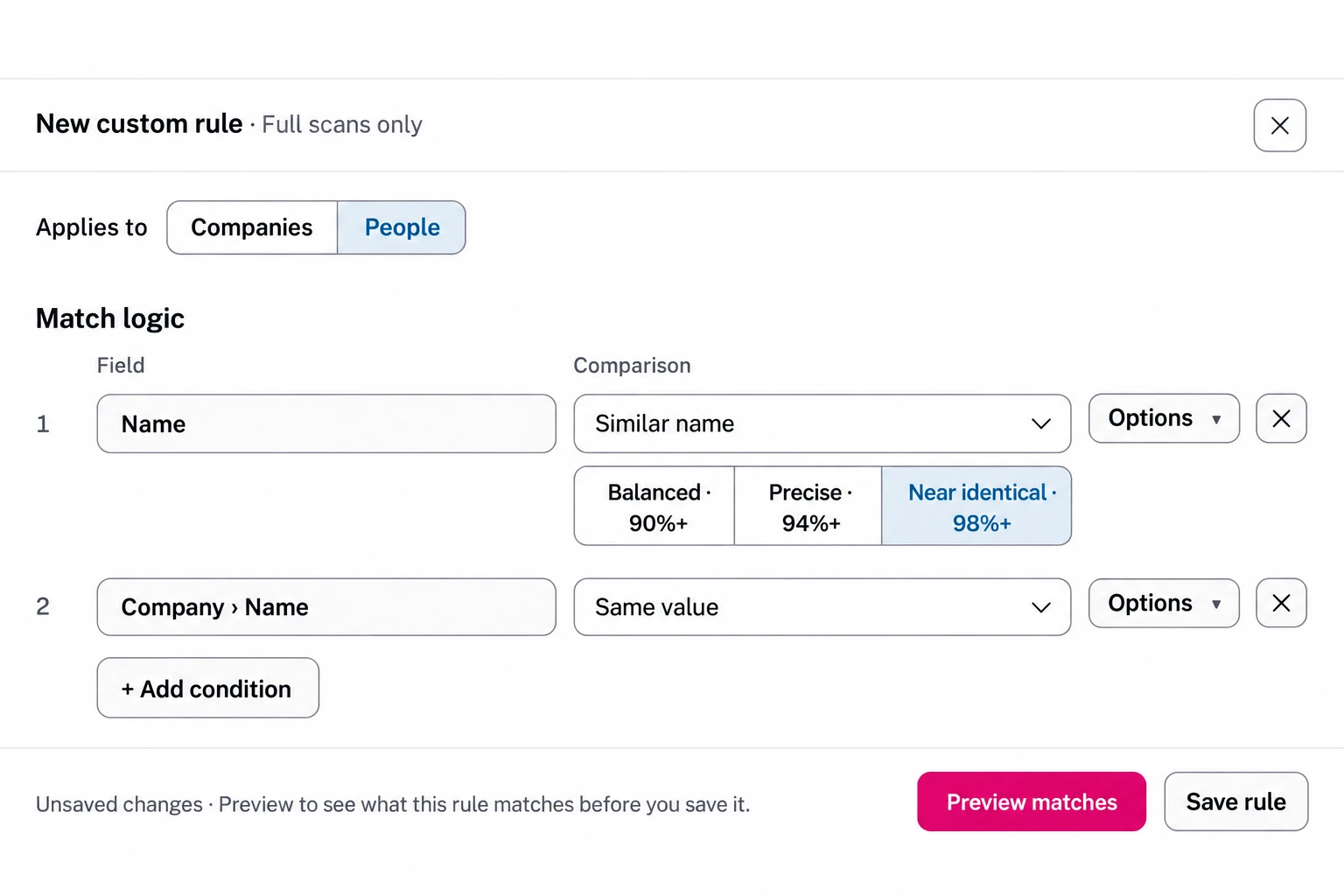
Two records can represent the same company or person without sharing an exact name, email address, or domain. That's why you can combine different signals rather than rely on a single field.
Companies with multiple domains
Compare registered domains across subdomains, or use shared domains as evidence when a company has more than one website.
Contacts with name variations
Compare similar names alongside related company information. A shared company alone doesn't have to be enough to count as a match.
Companies that have rebranded
Use domain normalization and redirect checks to find potential matches between old and current company websites.
Build rules around the information you actually have and adjust matching sensitivity. Preview matches when useful, or save your rule and include it in your next full scan.
Ongoing cleanup
Duplicate cleanup isn't always a one-time project.
Start with a full scan after a migration or import, then use scheduled scans and checks on new or updated records to find potential duplicates as your CRM changes.
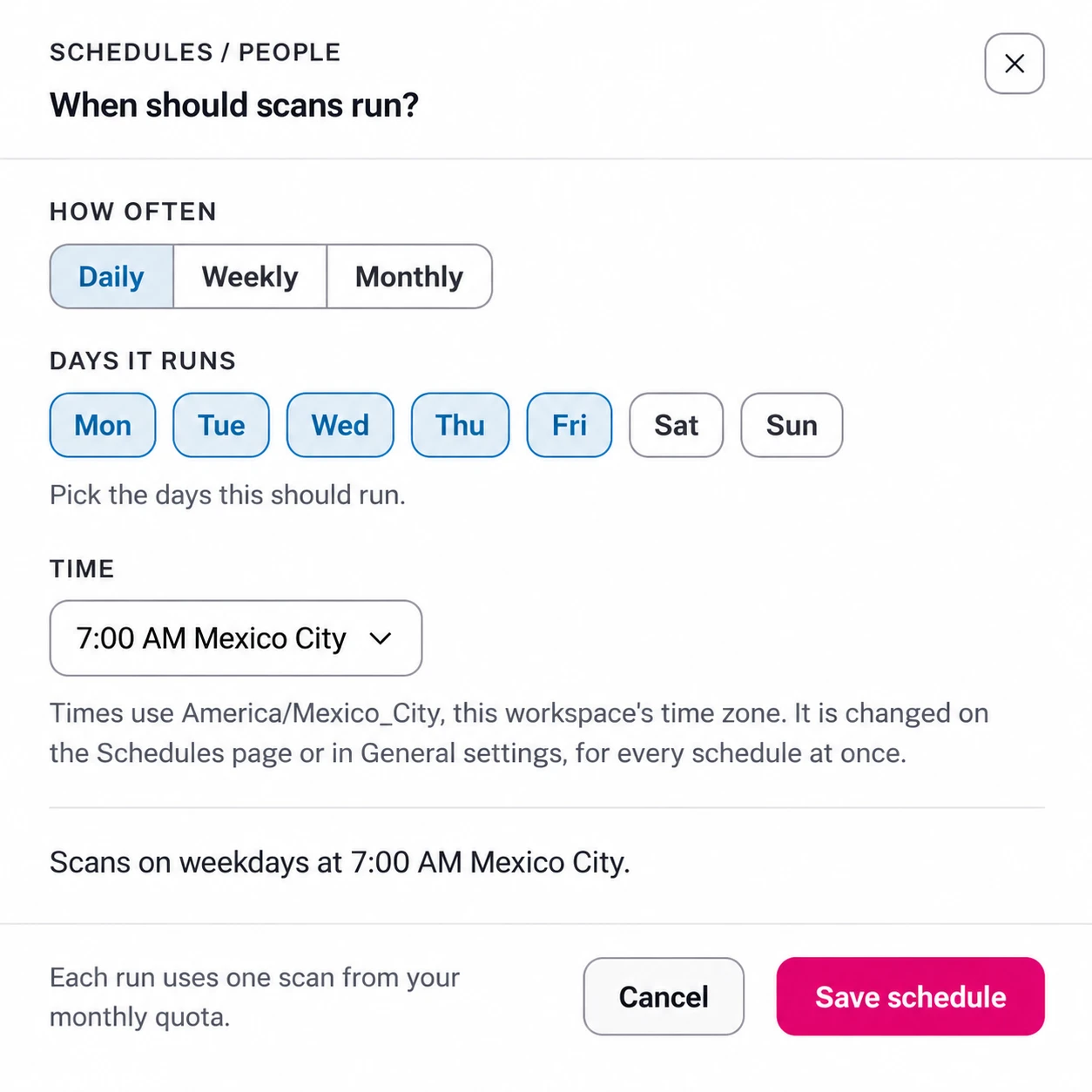
Schedule full People and Companies scans daily, weekly, or monthly. Your existing Not a duplicate decisions continue to apply, so the same false matches won't keep showing up.
Merge safeguards
Merging records is permanent, so we've built safeguards into the review and approval process.
Finding a potential duplicate doesn't change your CRM. You choose which groups to merge and which values take priority.
Mark external IDs as protected to prevent merges that would discard conflicting values. Records are checked again before a merge executes.
Pre-merge backups are enabled by default and can be disabled. When enabled, they capture supported attribute values, relationships, and references to related data before merging.
Choose which records to unmerge, or restore them all. Neon Deer rebuilds their saved values, relationships, and captured attribute history where Attio allows it. Before unmerging, compare saved and current values and see who made later edits, where Attio provides that information. Attio has no native unmerge, so rebuilt records get new IDs, and some fields and related data cannot be restored exactly.
Attio lets you merge known duplicates. Neon Deer adds workspace-wide scanning, custom matching rules, AI-assisted review, false-match exclusions, and bulk merge approvals.
No. Scans read data to identify potential duplicates. You review the results and approve the merges you want to make.
Scan results are potential matches, not a decision that every record should be merged. Two companies might share a LinkedIn page while having different names and domains. A rule based on LinkedIn alone can surface them for review. Compare the evidence, exclude false matches, and adjust any rule that produces too many irrelevant results.
Yes. Built-in rules are optional, and an organization admin can switch each one on or off. If a shared LinkedIn page produces unwanted matches, disable the built-in LinkedIn rule.
You can replace it with a custom rule requiring the same LinkedIn page and another attribute, such as the company domain. All conditions within that rule must match. Other enabled rules can still find candidates independently, so disable the standalone LinkedIn rule if LinkedIn should only count alongside another condition. Explore matching rules.
You can also ask an assistant connected through Neon Deer's MCP to help configure the rule. Describe which details must agree, review the proposed conditions, and then run a scan. Connect your assistant.
Duplicate Detection works across the objects in your connected Attio workspace, including People, Companies, Deals, and custom objects. People and Companies have built-in matching rules; other objects need a rule before scanning.
No. Matching rules and duplicate review work without AI. AI assessments are optional and can help prioritize large sets of potential matches.
Yes. Schedule full scans daily, weekly, or monthly. Each scheduled run counts against your plan's applicable scan allowance.
Yes, if Neon Deer saved a pre-merge backup. You can restore selected records and leave the others merged, then restore the rest later. Attio has no native unmerge, so Neon Deer reconstructs the records, restores supported values and relationships, and restores captured attribute history where possible. Rebuilt records get new IDs, and some system fields and related data cannot be restored exactly. See unmerge options and limitations.
Yes. Neon Deer's API and MCP connector support scanning, reviewing results, managing rules, and authorized merge operations. MCP is generally available; the Duplicate Detection API family still requires alpha access. App and connection permissions apply. Explore the MCP connector or API reference.
Connect your Attio workspace and run your first duplicate scan. Start free, with a 14-day trial of paid functionality.